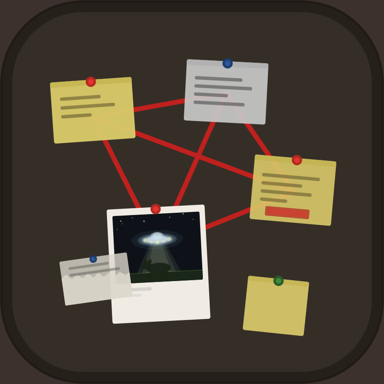
Crazy Wall: A corkboard for your bookmarks
Crazy Wall is the bookmark manager you can add your personality to. Pin the recipe for Sunday, the story you mean to finish, the song you can’t stop playing. Every link on your wall looks like what it is. You'll know it at a glance.
Free to use on iPhone, iPad and Mac.
$7.99 a year to sync across all of them.
Coming Soon: Autumn 2026
Tell me when it's out(Opens your mail app. I'll write you the day it lands on the App Store.)
Your bookmarks, laid out
Everything you'd want from a bookmark manager, arranged like the corkboard above your desk.
Save it from any app.
Tap Share in Safari, YouTube or anywhere else, and choose Crazy Wall. It waits in your Pin Queue until you find it a wall — or pick one on the way in.
Every link looks like what it is.
Recipes arrive as recipe cards, stories as newspaper clippings, songs as now-playing cards. You know each one before you read a word.
Walls keep things. Tags find them.
Make a wall for recipes, one for Sunday dinner, one for the books you’re reading. Tag anything “dessert” and search finds every one, whichever wall it’s on.
Tidy by default. Crazy when you want it.
Walls open neat, newest first. On iPad and Mac, tap Crazy to spread things across the cork, move them around, and tie yarn between the ones that belong together.
On every device you own.
Free on any one iPhone, iPad or Mac, with as many walls as you like. $7.99 a year puts every wall on every device, kept in step through your own iCloud.
No account. No server.
Your bookmarks stay on your devices and in your own iCloud. Crazy Wall never sees what you save.
Before you ask
What is Crazy Wall?
A bookmark manager for iPhone, iPad and Mac. Save a link from any app and it lands on a wall as a card that looks like what it is — a recipe card, a newspaper clipping, a now-playing song — so you can find things by eye instead of reading a list.
How much does it cost?
Crazy Wall is free on any one device — iPhone, iPad or Mac — with as many walls as you like. A $7.99-a-year subscription puts your walls and your Pin Queue on every device you own.
What do I need to run it?
An iPhone or iPad on iOS 26 or later, or a Mac on macOS 26 or later.
Do I need an account?
No. Your bookmarks stay on your devices and in your own iCloud. Crazy Wall has no server of its own and never sees what you save.
How do I save something?
Tap Share in Safari, YouTube or any other app and choose Crazy Wall. It lands in your Pin Queue, or on a wall you pick right there. It works offline, too.
What’s the “Crazy” part?
Walls open as a tidy grid, newest first. On iPad and Mac, or an iPhone turned sideways, tap Crazy to spread everything across the cork, move it where you like, and tie yarn between the things that belong together.
Does Crazy Wall track me?
It sends anonymous counts of which features get used, through TelemetryDeck — never your links, titles or wall names. You can switch it off in Settings → Privacy.
Something we didn’t cover? Send feedback
Hi, I’m Chris Ainsworth
I make Crazy Wall. I use it every day, and I hope you have as much fun using it as I have had making it. Add links from your iPhone, iPad or Mac and see your walls grow across your devices. Crazy Wall makes managing your bookmarks a lot of fun. You can make your walls as crazy or tidy as you please.
I do hope you'll let me know what you think. I can't wait to see the crazy walls you come up with!